
Urban Enterprise Zone Program Premier Business Services Getting Started
The UEZ Business Certification System is accessible only through New Jersey Premier Business Services (PBS).
If you already have a PBS account, navigate to the PBS home page and LOG ON to access your services.
If you do not have a PBS account, follow the instructions below for your one-time registration process to create your PBS and myNewJersey accounts. After this registration, you will be able to log on and access the UEZ Business Certification System as well as additional State of New Jersey online services.
Quick Start
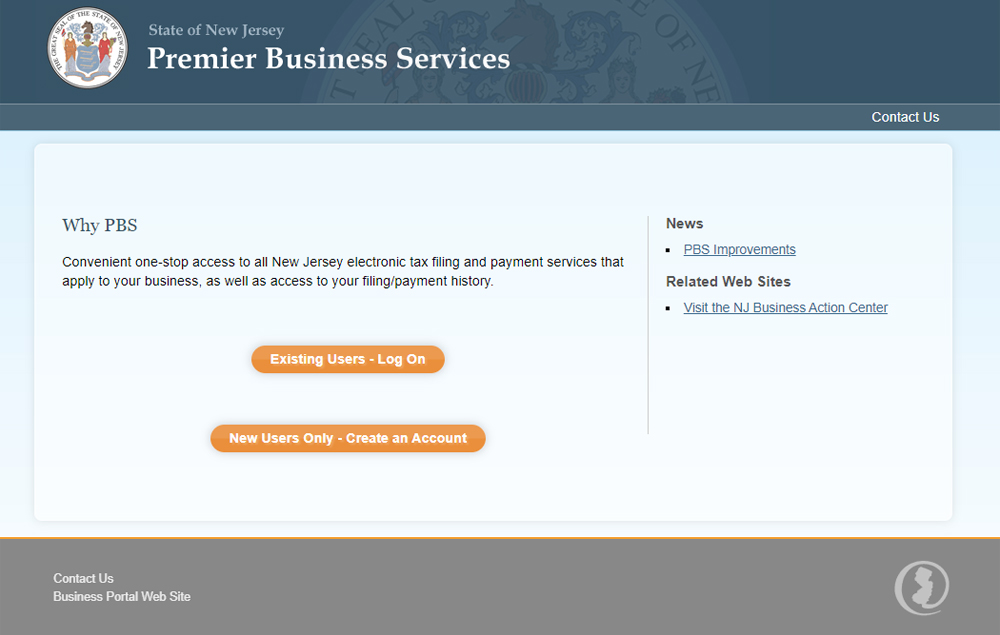
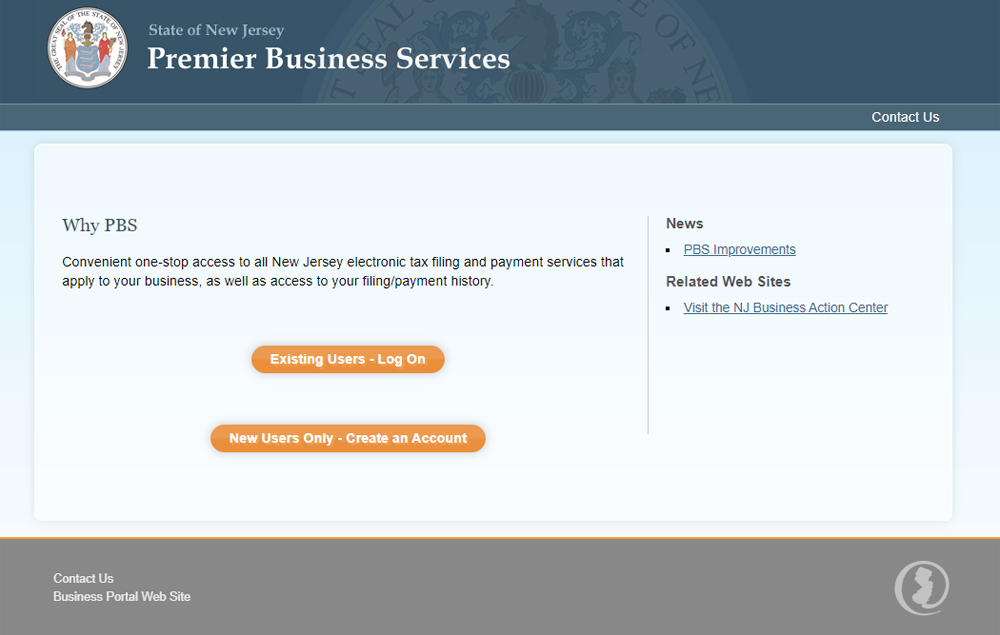
- Go to Premier Business Services.
- If you already have a myNewJersey account and a PBS account, click Existing Users - Log On and conduct your business as usual.
- If you need to create one or both of these accounts, click New Users Only - Create An Account and follow the instructions on the screens. If you do not have a myNewJersey User ID and Password, you'll be able to set one up during the registration process.
- After you have created your PBS account, you can add businesses to the account. After a business is added, you will have access to the State's online Service Centers – including the UEZ Business Certification System.
- To make return visits to PBS easier, bookmark the Premier Business Services home page or add it to your Internet browser's Favorites.
Detailed Instructions
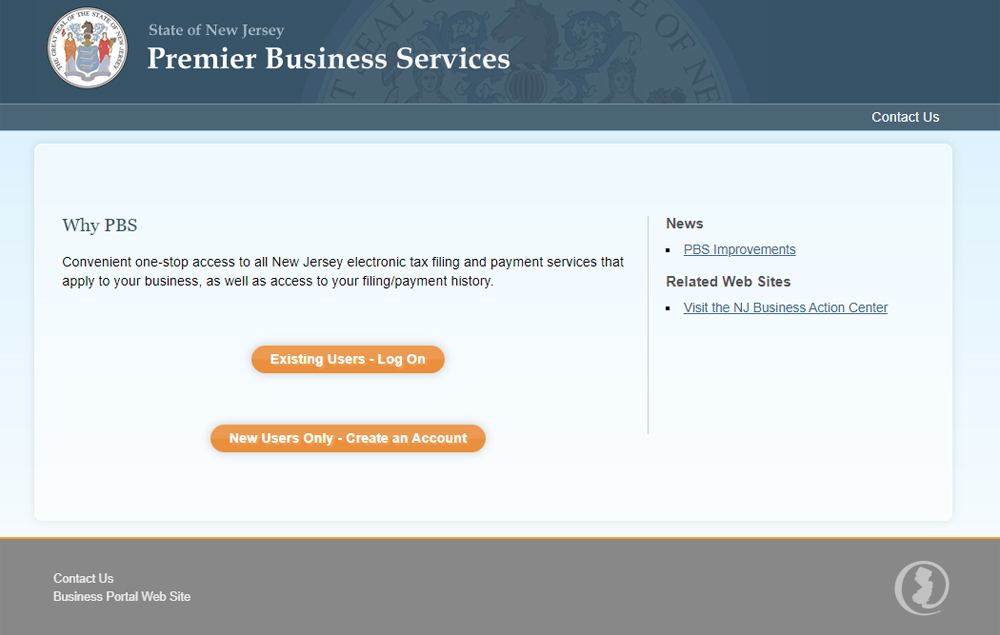
New PBS Users ONLY
To open a PBS account (including a myNewJersey account, if you don't already have one)
- Click New Users Only - Create An Account
If you already have a PBS account, Log On. DO NOT START A NEW ACCOUNT.
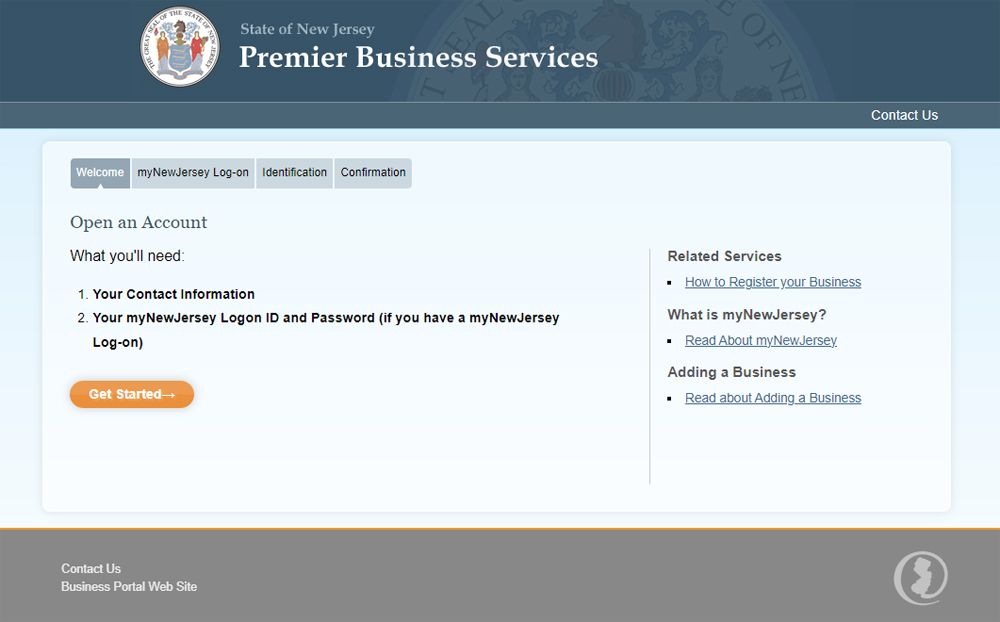
Open an Account
- Click Get Started
- You will be entering basic information about yourself on the next screen.
- If you don't have a myNewJersey account, you'll be able to set one up during the registration process.
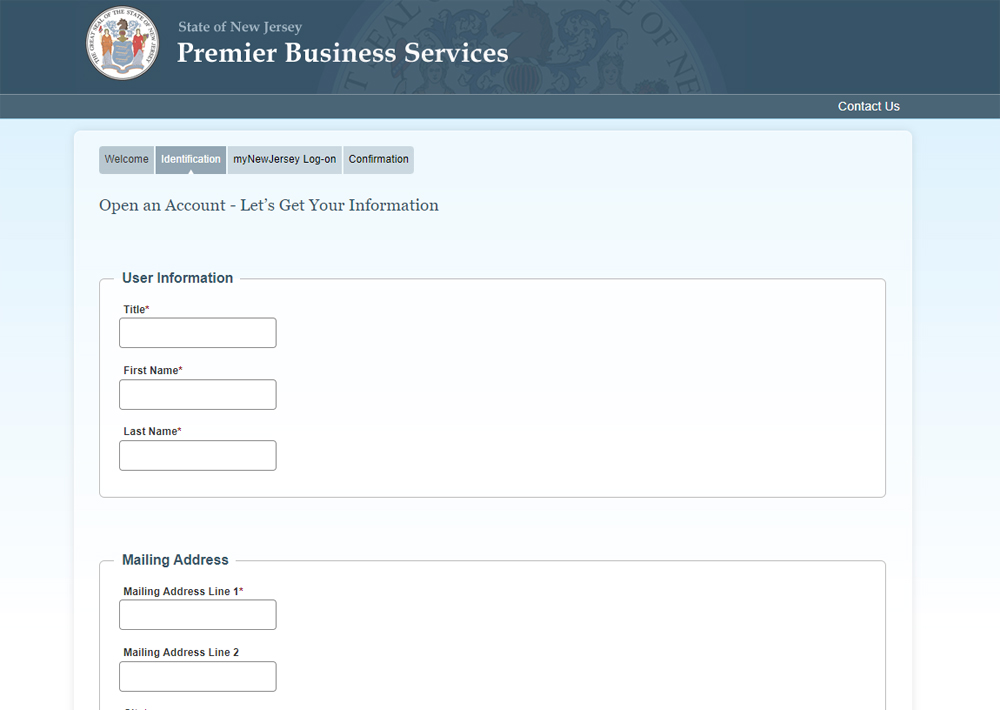
Your Information
- Enter your personal information* in the fields
- Click Continue
*If you are the business owner's authorized representative (e.g., accountant, business manager, etc.), you may complete an application on the business owner's behalf. Enter your own personal information in these screens and enter the business's information in the Add a Business and UEZ Certification Application screens.
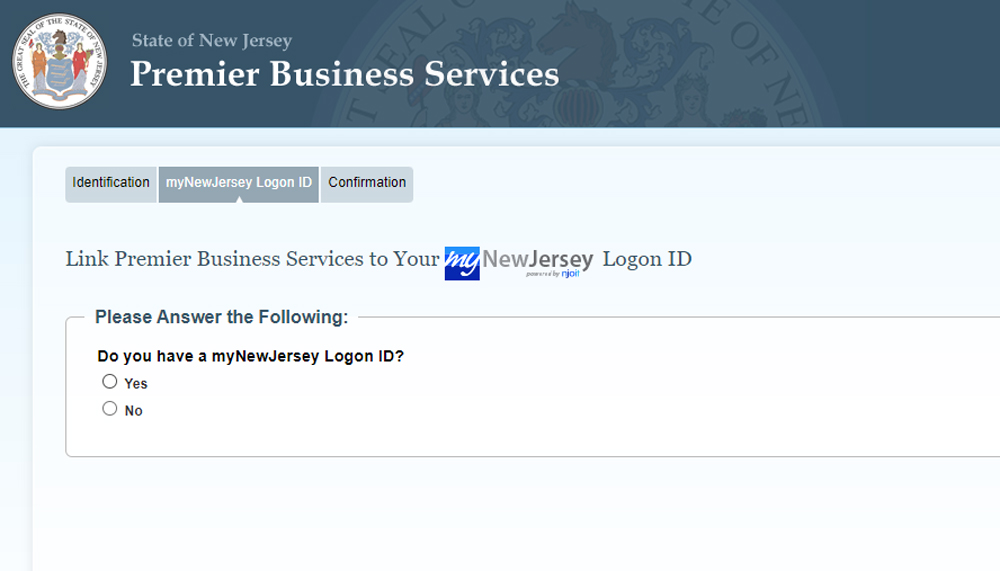
Linking PBS and myNewJersey accounts
This screen asks if you currently have a myNewJersey Logon ID.
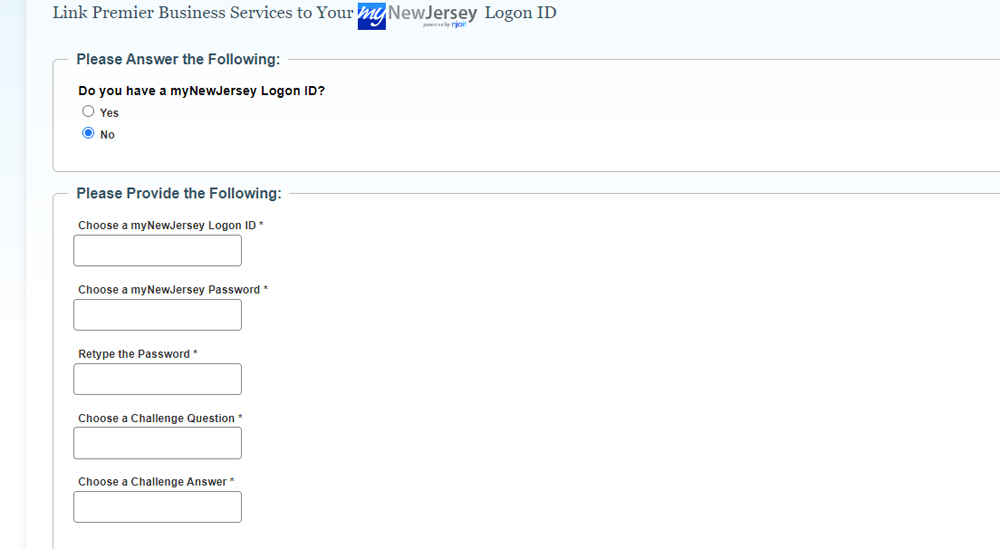
If you answered "No"
- Enter the requested information in each field to set up a myNewJersey account
- Click Continue
Note: Passwords are case sensitive, must be at least eight characters long, and must have a combination of at least TWO of the following -
- Lower case letters
- Upper case letters
- Numbers
- Other characters (except space, quotes, and backslash)
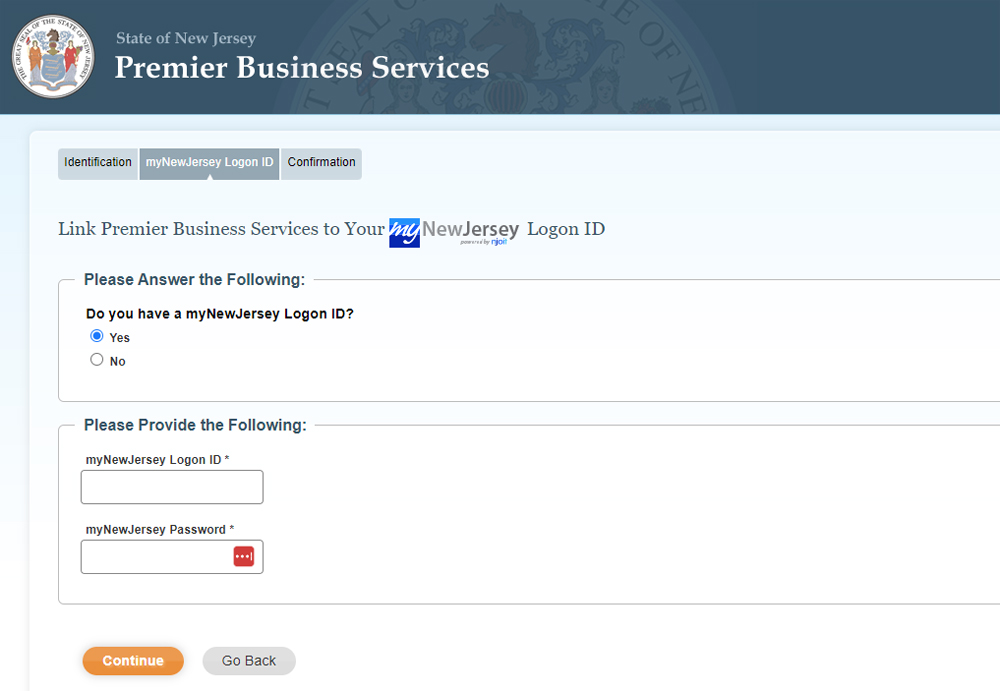
If you answered "Yes"
- Enter your myNewJersey Logon ID and Password*
- Click Continue
*If you have forgotten your myNewJersey Logon ID or Password, follow the instructions on the screen.
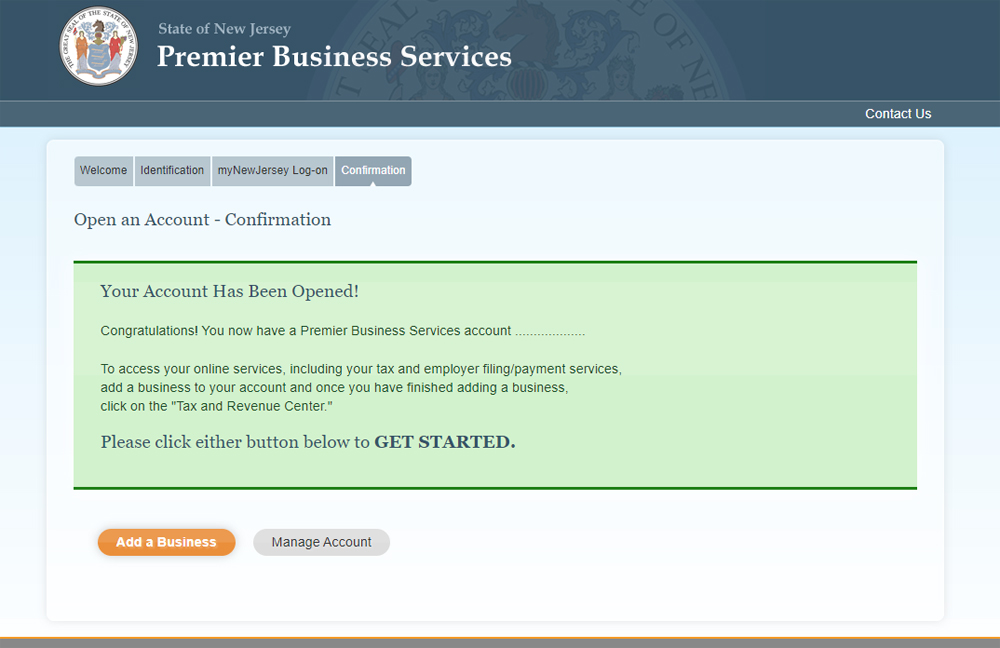
Confirmation
At this point your PBS account has been created and linked to your myNewJersey account.
To access the PBS Services available to you
- Click Manage Account
To begin registering a business
- Click Add a Business
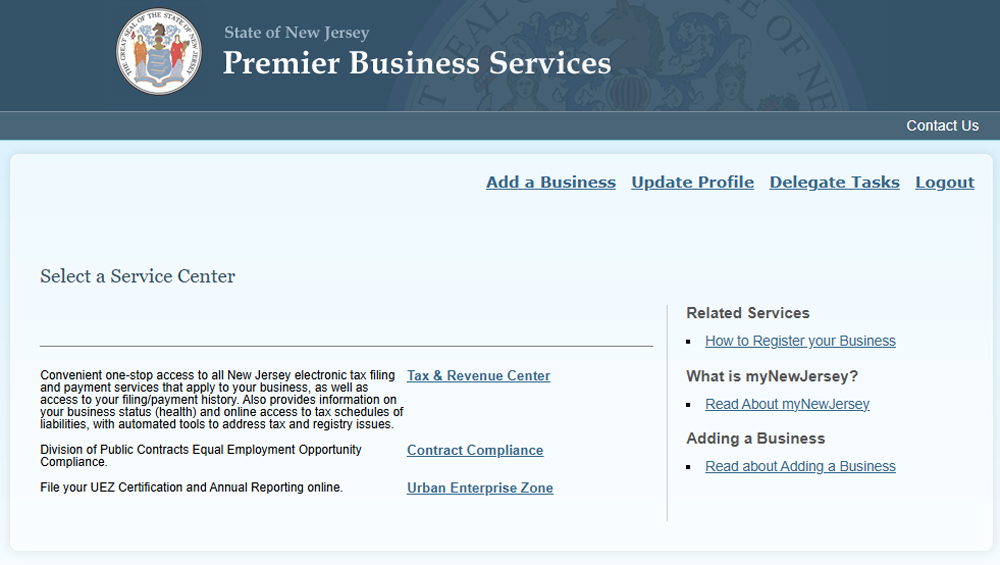
Adding a Business*
- Select the Add a Business hyperlink (upper right)
*You must register your business with the NJ Division of Revenue before adding it to your PBS account. An online Business Registration Certificate (BRC) look-up is available if you need to check on your registration status. The BRC page provides additional links to online service pages that will enable you to register the business if you have not already done so.
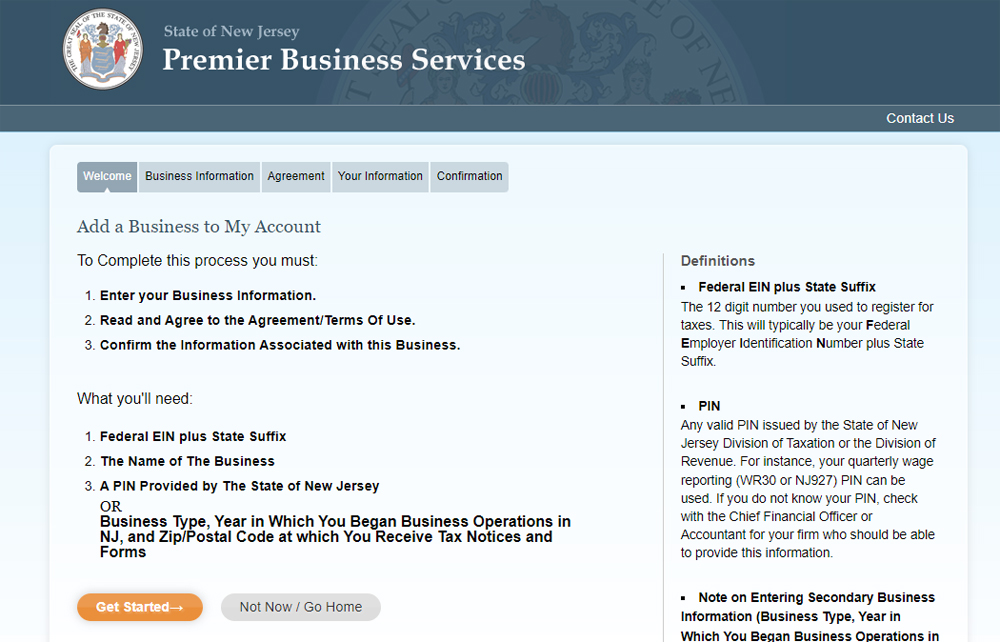
Adding a Business
At the Add a Business to My Account page
- Click Get Started
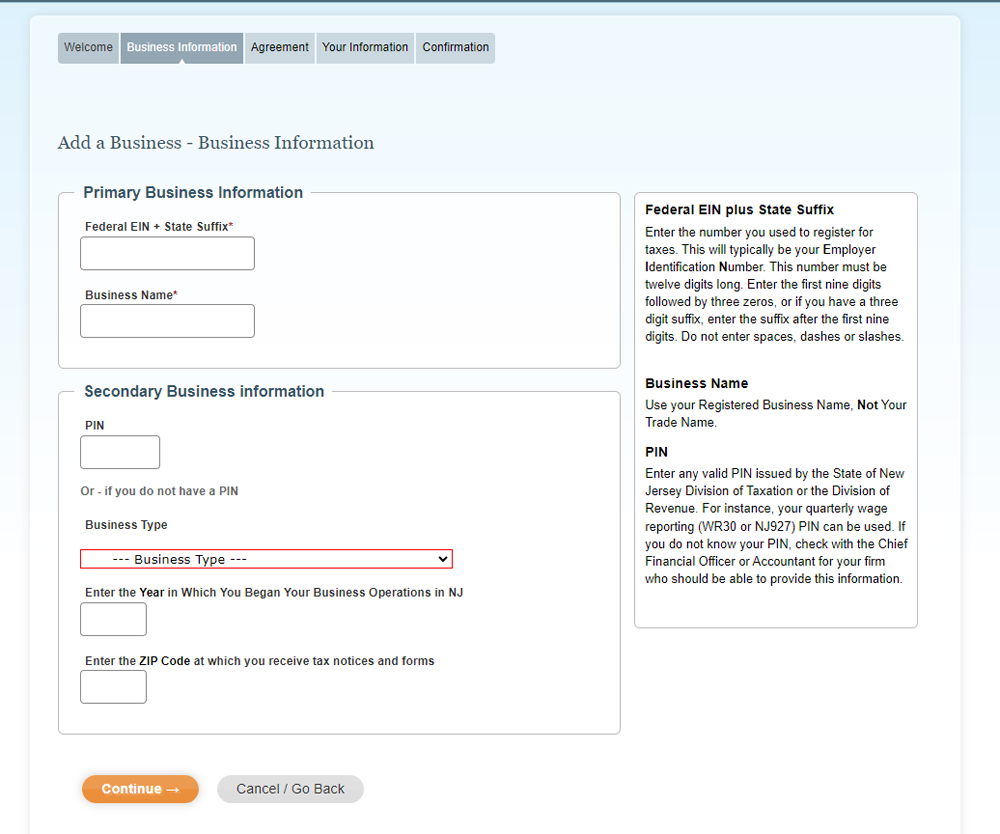
Business Information
- Enter your business information in the fields
- Click Continue
If you don't know your PIN, click the hyperlink at the bottom of the text box.
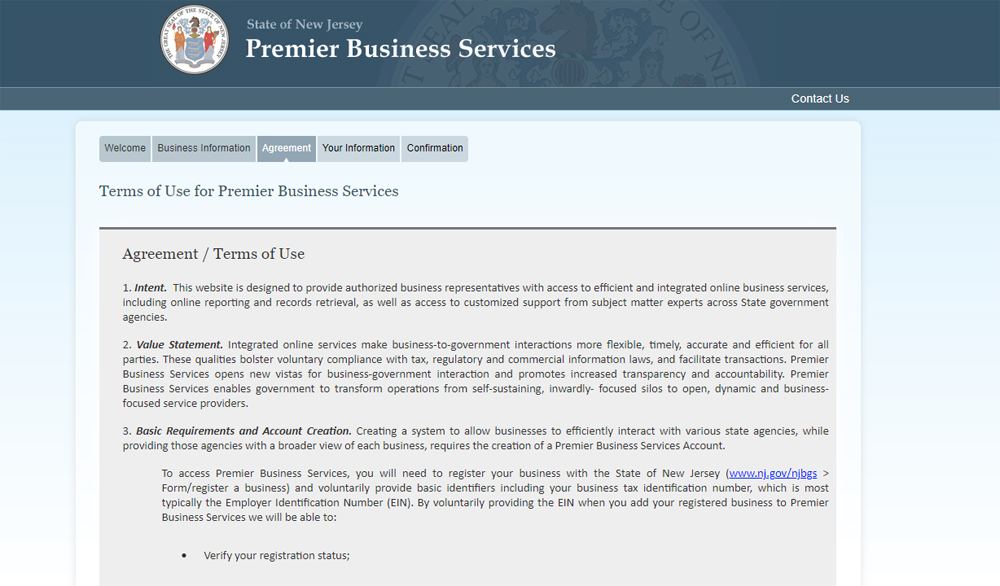
Terms and Conditions
- Read the Agreement/Terms of Use
- Select Yes or No
- Click Continue
If you select No, the business will not be added to your PBS account.
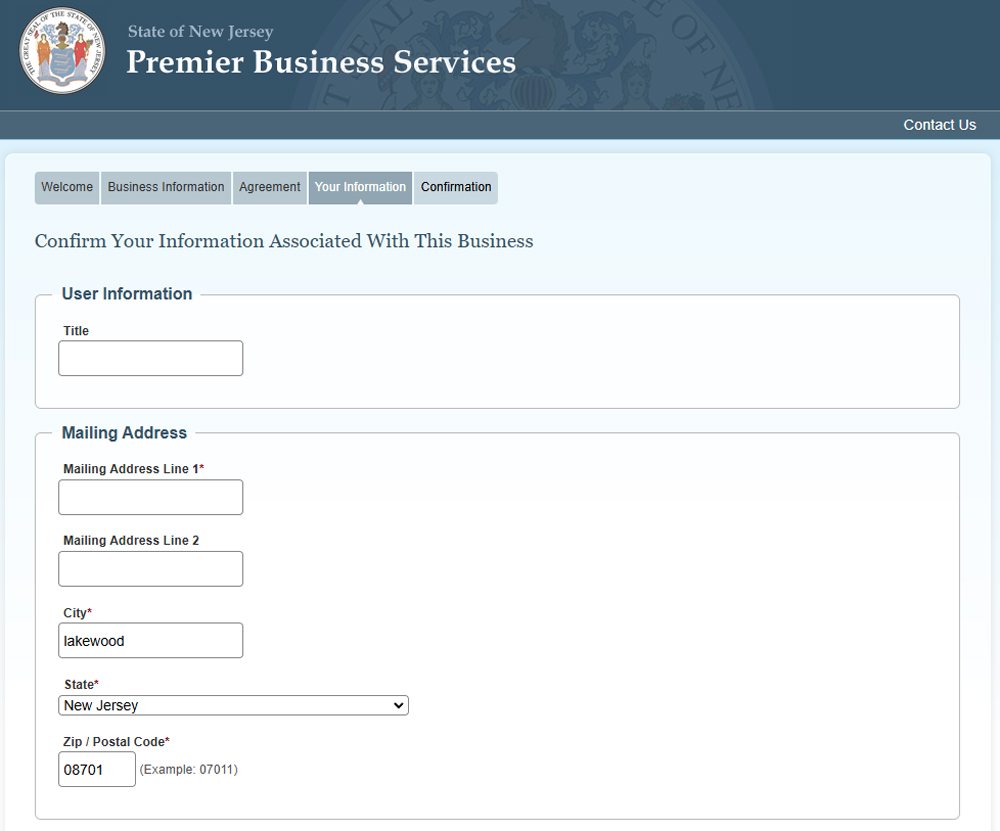
Confirm Business Association
- Review your information
- Click Continue
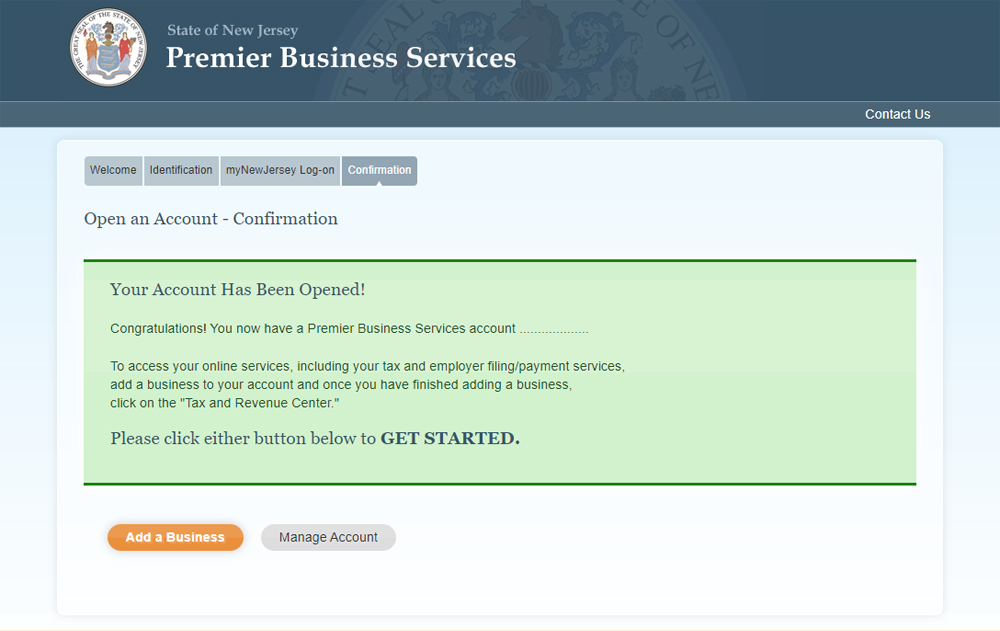
Confirmation
The Business Added screen will confirm that the business has been added to your PBS account.
At this point, you can add another business or return to the Home page, where all PBS Service Centers will be available.
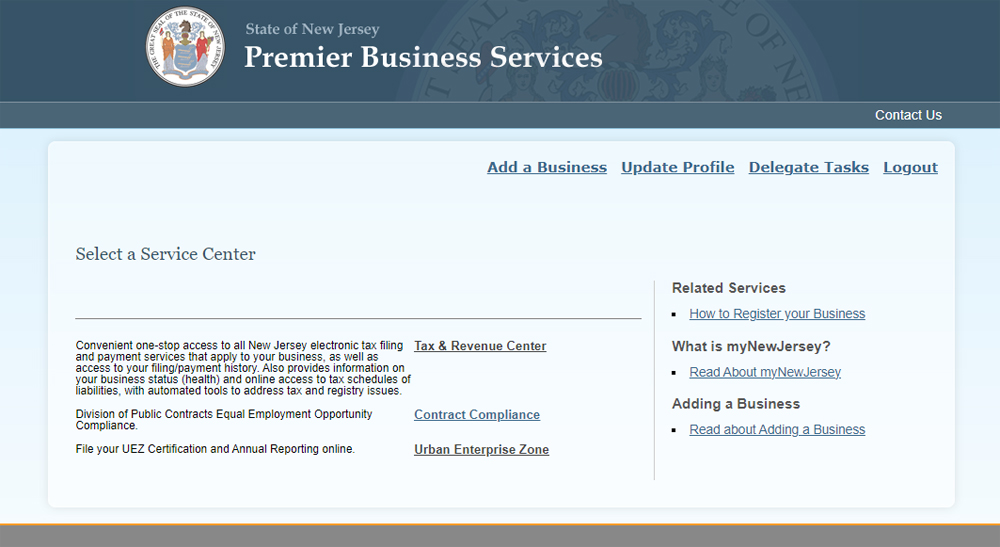
Service Center
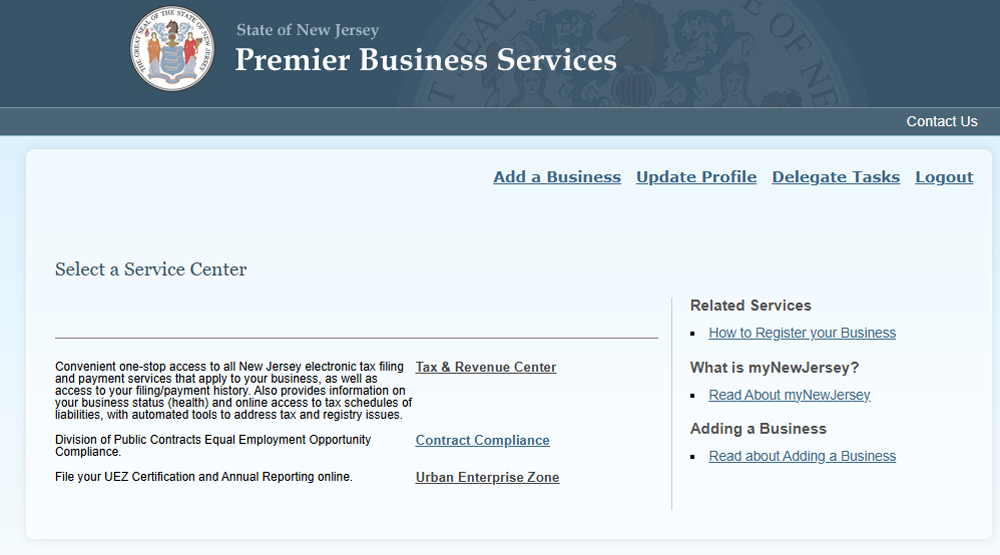
Several online services are available on the PBS Service Center screen. More State Departments and Agencies will be added in the future.
To submit a UEZ Certification Application, Recertification Application, or Annual Report
- Click Urban Enterprise Zone
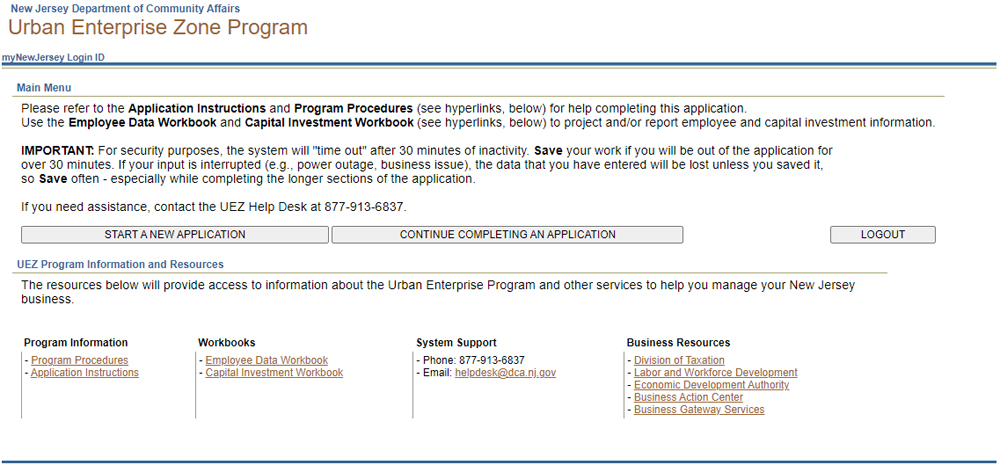
Urban Enterprise Zone Program
- Select the function you want to perform
Hyperlinks on the bottom of the page link to helpful resources, such as Certification Application Instructions, UEZ Help Desk, etc.
Returning to PBS
The next time you want to use the UEZ Business Certification System-
Go to Premier Business Services
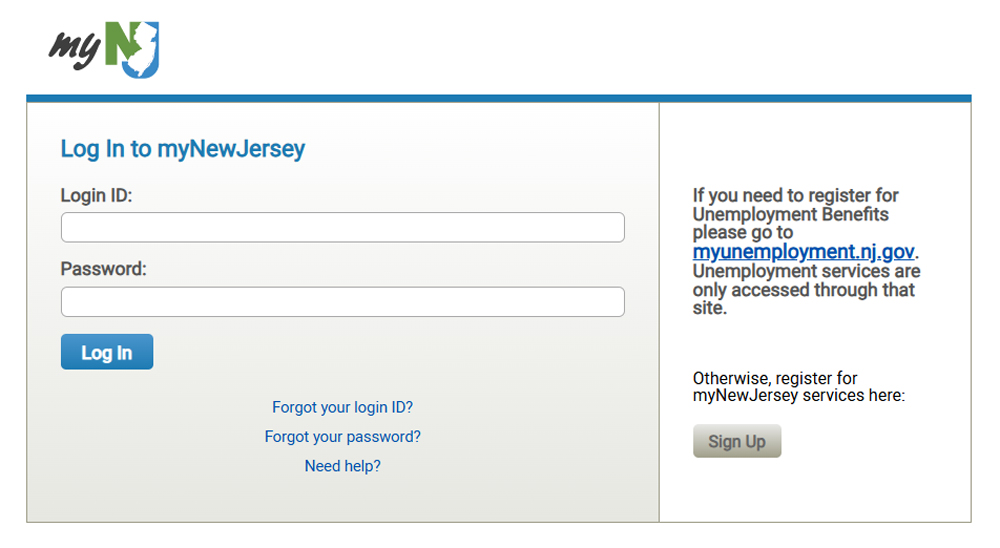
- Click Existing Users - Log On
- Enter your Login ID and Password
- Click Log In
Service Centers
At the Premier Business Services screen-
- Click Urban Enterprise Zone
Related Web Sites
Help!
- UEZ Help Desk Phone: 877-913-6837
- UEZ Help Desk Email: HelpDesk@dca.state.nj.us
- PBS Help: dorinfo@treas.state.nj.us
- NJ Business Portal Help: 866-534-7789
Mailing Address
- NJ UEZ Program
Department of Community Affairs
PO Box 822
Trenton, NJ 08625